Blitz Gold · Copy trading on PU Prime
Copy it once. It trades gold for you.
Blitz Gold is up +82.70% since it went live in October 2026, and 80% of its trades close in profit. Every trade is on a verified Myfxbook record. Copy it on PU Prime and each trade opens in your own account by itself.

Myfxbook verified account, as of Nov 12, 2026. Past performance does not guarantee future results. Check Myfxbook
How to copy Blitz Gold
Five steps in the PU Prime app. No EA, no MT5, no VPS. Once you copy, PU Prime opens every Blitz Gold trade in your account, sized to your balance.
-
1
Open a PU Prime account
Sign up through our link, then verify your ID when PU Prime asks (ID or passport, then proof of address). Copying only starts on a verified account. Install the PU Prime app and log in.
Already on PU Prime? Keep your account and go to step 2.
Open a PU Prime account -
2
Add a Copy Trading account
In the app, tap your account number at the top left, then New Live Account. Pick Platform: Copy Trading, Account Type: Standard, Currency: USD, tick the agreement and tap Submit. PU Prime approves it within one business day and emails you.
See the screen

-
3
Fund it
Tap Deposit, pick your Copy Trading account under Account, enter the amount and tap Continue. Pay with a card, bank transfer, crypto or e-wallet in your own name. Withdrawals go back the same way.
See the screen

-
4
Search FxScalpersdotNet and tap Copy

1 On Home, tap Copy Trading 
2 Tap the search icon 
3 Type FxScalpersdotNet 4 tap View On the strategy page, tap Copy. Keep Copy Mode on Equivalent Used Margin, type your amount under Investment and tap Submit. From the next trade on, every Blitz Gold trade opens in your account by itself. You will see them under Orders.
What each copy setting does

- Copy Mode
- Equivalent Used Margin, the default. Your trades are sized to your balance, in the same proportion as ours.
- Investment
- The amount you put on Blitz Gold, in USD. It can't be more than your account balance.
- Risk Management
- Optional stop on the whole copy. If your copy loses this %, it stops. Set it to what you can accept.
- Lot Round-Up
- Off. Turn it on only if your balance is small and trades come out too small to copy.
- Copy Opened Trades
- Off. You start with the next new trade.
-
5
Withdraw any time
Stop or reduce the copy in the app first, so the money is back in your balance. Then tap Withdrawal, pick the account, enter the amount and send it back to the method you deposited with.
See the screen

Rather go one step at a time? Our Telegram bot walks you through it. Stuck on a step? Message Kent.
Why traders copy it
It trades by itself
No EA to install, no VPS, no hours on the chart. Trades open and close in your account while you get on with your day.
Your money stays yours
It sits in your own PU Prime account. Stop copying or withdraw whenever you want.
Every trade on Myfxbook
Winners and losers, on a verified record anyone can check. Not a screenshot.
Gold up or gold down
It buys and sells, so a falling gold price can pay you too.
Quick trades, mostly green
80% of its trades close in profit, each open for about 11m on average.
Start small
You pick the amount under Investment, and a cent account works for a small balance.
High risk. High return. Both are real.
The return
- +82.70% total gain since it went live in Oct 2026
- 80% of its trades close in profit
- Most trades are done in minutes: average 11m
- It works both sides of gold, up days and down days
The risk
- When it loses, the loss is bigger than a typical win
- The record is young: weeks, not years
- Bigger swings than Anchor Gold, by design
- Only for money you can afford to lose
Straight from the account
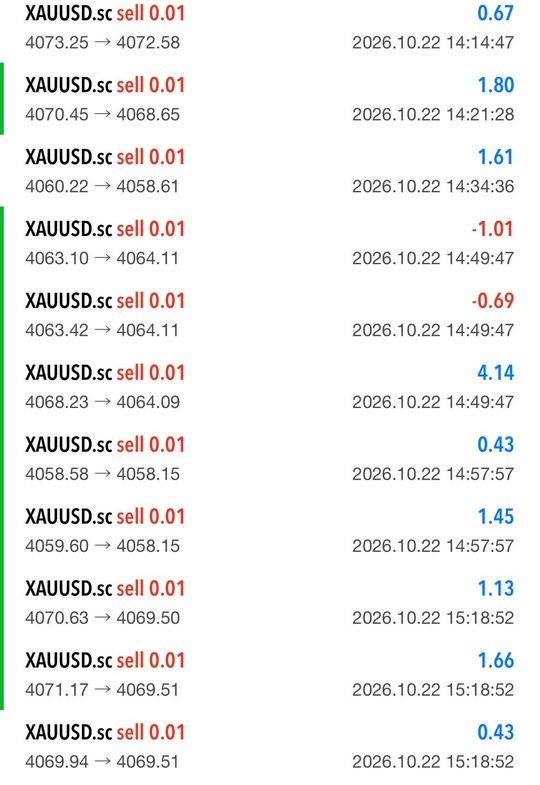
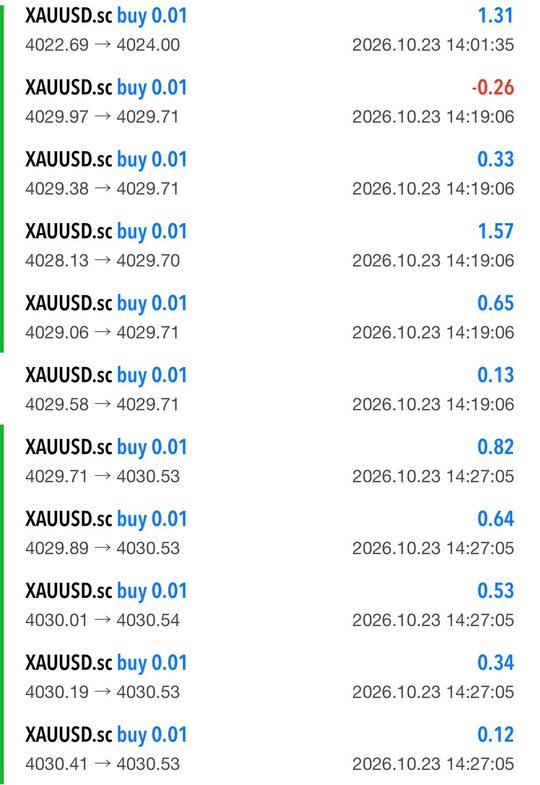
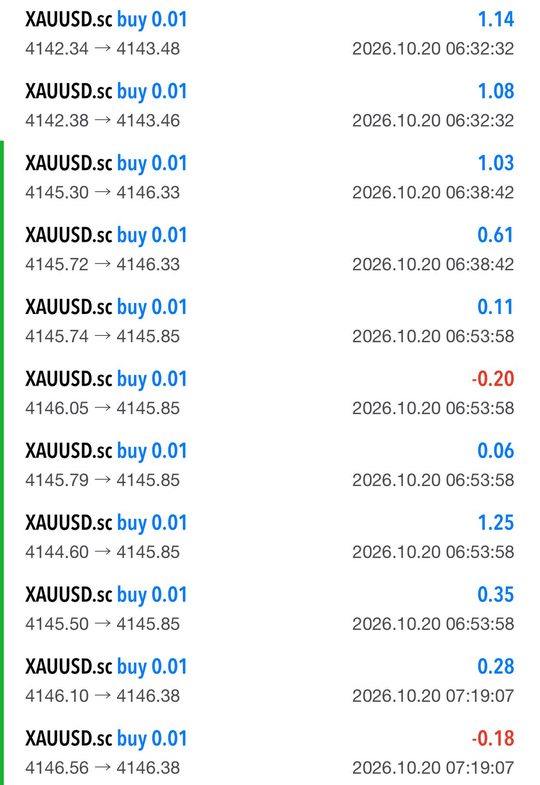
Full record on MyfxbookMT5 history screens our team shared. Small wins stacking up, both directions, with the odd loss in plain sight.
The numbers behind the risk
Drawdown vs gain
The deepest dip was 1.94%, next to a 82.7% gain.
Average win vs loss
Losses run bigger than wins on average; the edge is winning 80% of trades, for a profit factor of 2.51.
Win rate by direction
Trades both directions.
Month by month
Is it for you?
A good fit if you
- Want faster growth and can sit through swings
- Can open a PU Prime account to copy it
- Like to set a stop on your copy, then let it run
Not for you if
- It’s money you’ll need next month
- You want a smooth, steady curve: pick Anchor Gold
- You check every tick and panic on red
Questions about copying
What is Blitz Gold called on PU Prime?
FxScalpersdotNet. Open Copy Trading in the PU Prime app, tap the search icon and type the name.
I already have a PU Prime account. Do I need a new one?
No. Add a Copy Trading account in the app (step 2), fund it, then search FxScalpersdotNet.
Can I stop copying or take my money out?
Yes, any time. Stop or reduce the copy in the app, then withdraw (step 5). The money stays in your own account the whole time.
Do I need MT5, an EA or a VPS?
No. PU Prime copies each trade into your account. Rather run Blitz Gold on your own MT5? The license is $599, ask Kent.
Can I start with a small amount?
Yes. You choose the amount under Investment, and a cent account works for a small balance.
Ready to copy Blitz Gold?
Open Copy Trading in the PU Prime app and search FxScalpersdotNet, or start from the button.